
Miva's Big Voice Upgrade: Read, Talk, and Listen Your Way Through Every Book

We're excited to announce a major upgrade to Miva's voice features! This isn't just about listening anymore — now you can talk to Miva too, making reading and conversation feel more natural than ever.
What's New?
One-Tap Read Aloud: Both chat replies and book content can now be read aloud with a single click — perfect for commuting, exercising, or giving your eyes a rest
Voice Input: No time to type? Just speak your question and Miva will answer right away
Brand New Voice Mode: Talk to Miva like you would a real person — ask and receive answers, all by voice
Multiple Voice Personalities: Choose from eight distinct voices, each with its own character and tone
More Natural-Sounding Speech: Read-aloud has been fine-tuned for a smoother, more natural listening experience
Voice Input × Voice Mode: Just Start Talking
You'll find a new voice icon next to the chat box — tap it to switch into "Voice Mode" and start a fully voice-based conversation.
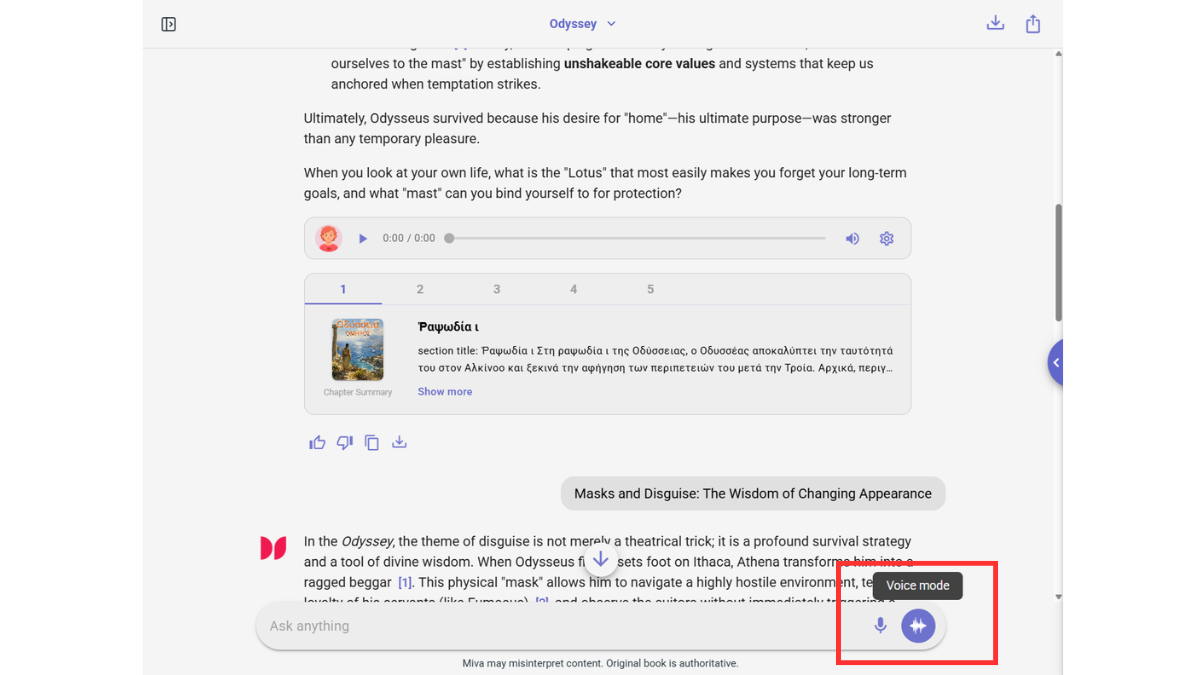
Hold the microphone to speak, release to send, and Miva will respond instantly — like having a reading companion always ready to help.

Eight Voice Personalities — Find the One That Fits You
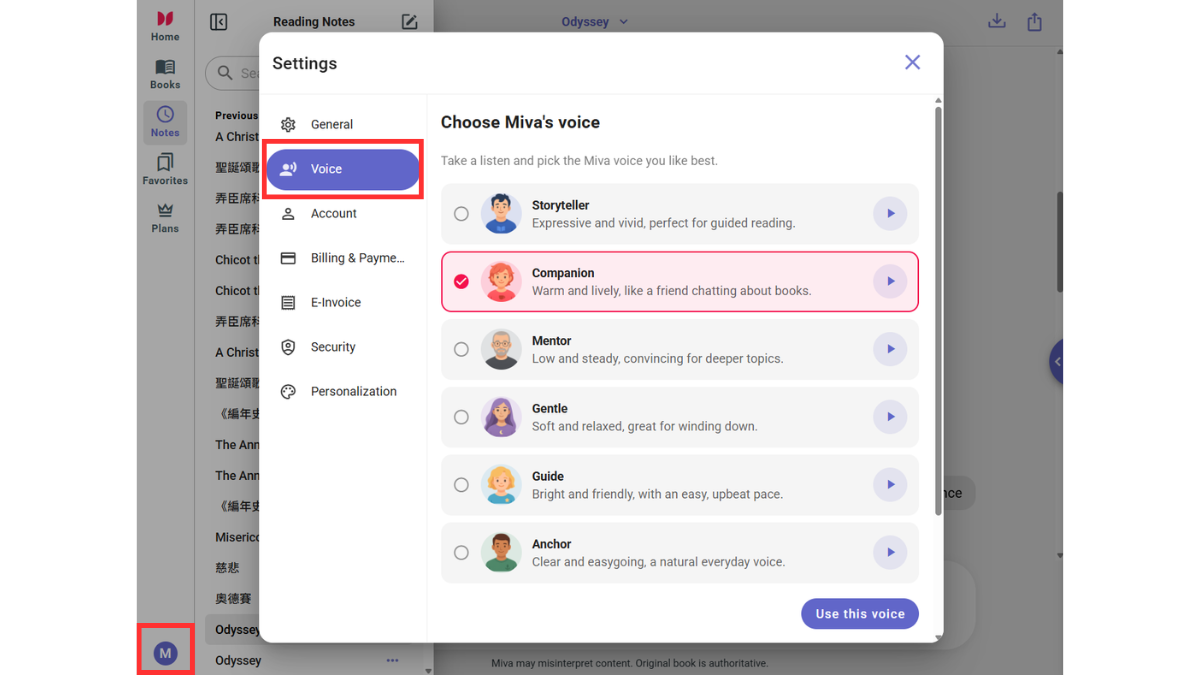
Everyone connects with reading companionship differently, so we've prepared eight distinct voice styles for you to choose from, depending on your mood or setting:
Storyteller: Expressive and vivid, perfect for guided reading (default voice)
Companion: Warm and lively, like a friend chatting about books
Mentor: Low and steady, convincing for deeper topics
Gentle: Soft and relaxed, great for winding down
Guide: Bright and friendly, with an easy, upbeat pace
Anchor: Clear and easygoing, a natural everyday voice
Poet: Warm and lyrical, gentle and unhurried
Scholar: Calm, clear and thoughtful, easy to take ideas in
How to Switch Voices
Log in to your Miva account
Click your avatar in the bottom-left corner and select "Settings"
Go to the "Voice" tab
User Feedback & What's Next
To keep improving your experience, our team is actively working on:
Read-aloud support for more languages
Continued improvements to voice recognition accuracy and naturalness
More personalization options, giving you full control over your reading experience
Your feedback matters to us! If you have suggestions or run into any issues, reach out through:
The "User Feedback" button in the app
We'd love to hear your thoughts on this new feature and how it can help us keep making Miva better.
Thank you for your continued support of Miva!